Tour

Every screen, in light and dark.

Each image below is a real capture of Kiln's web app over invented render work for StrataForge Robotics, a fictional company. The jobs were written into a throwaway ledger, and the pictures and film in their outputs were drawn by a script for this tour: none is a photograph, and none shows a person. The capture had no AWS setting, no key, and no network, so no job was run, and every log line is invented text. The log of the running job is served by a stand-in for Kiln's task runner that reads the lines written for the capture. Switch the site theme and the screenshots follow.

Illustration: an empty pottery workshop at night, a potter's wheel with a lump of clay in the foreground, a few clay jars on a low table, and a kiln door ajar with an ember glow.

Jobs

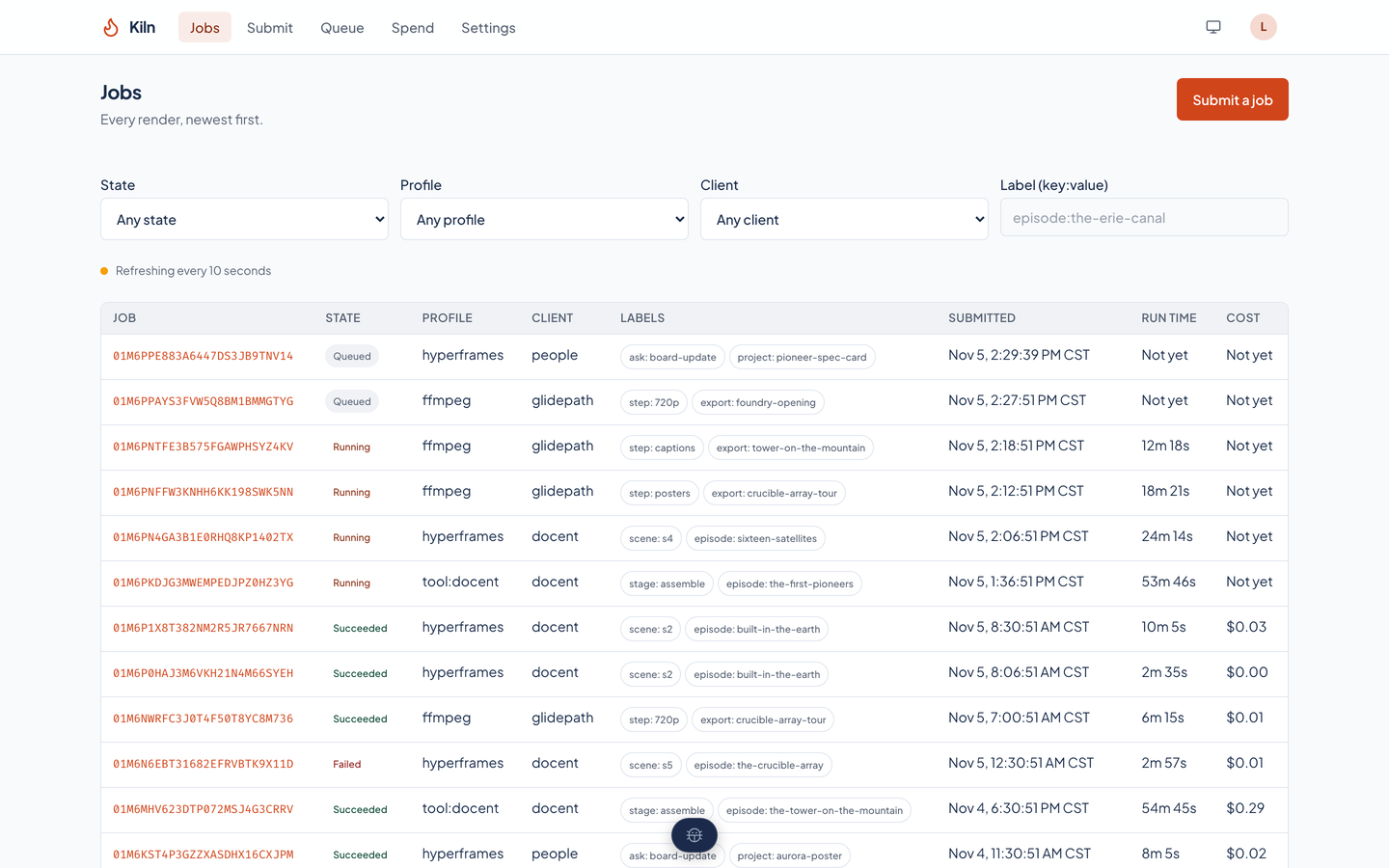
Kiln's jobs list: a table of jobs with a state badge on each (queued, running, succeeded, failed), the profile, the client, label chips, the submission time, the run time, and the cost, under filters for state, profile, client, and label.Kiln's jobs list: a table of jobs with a state badge on each (queued, running, succeeded, failed), the profile, the client, label chips, the submission time, the run time, and the cost, under filters for state, profile, client, and label.
Every job, newest first, with its state, profile, client, labels, when it was submitted, how long it ran, and what it cost. A job that has not finished shows Not yet instead of a cost. The filters narrow the list by state, profile, client, or a label.

A finished job

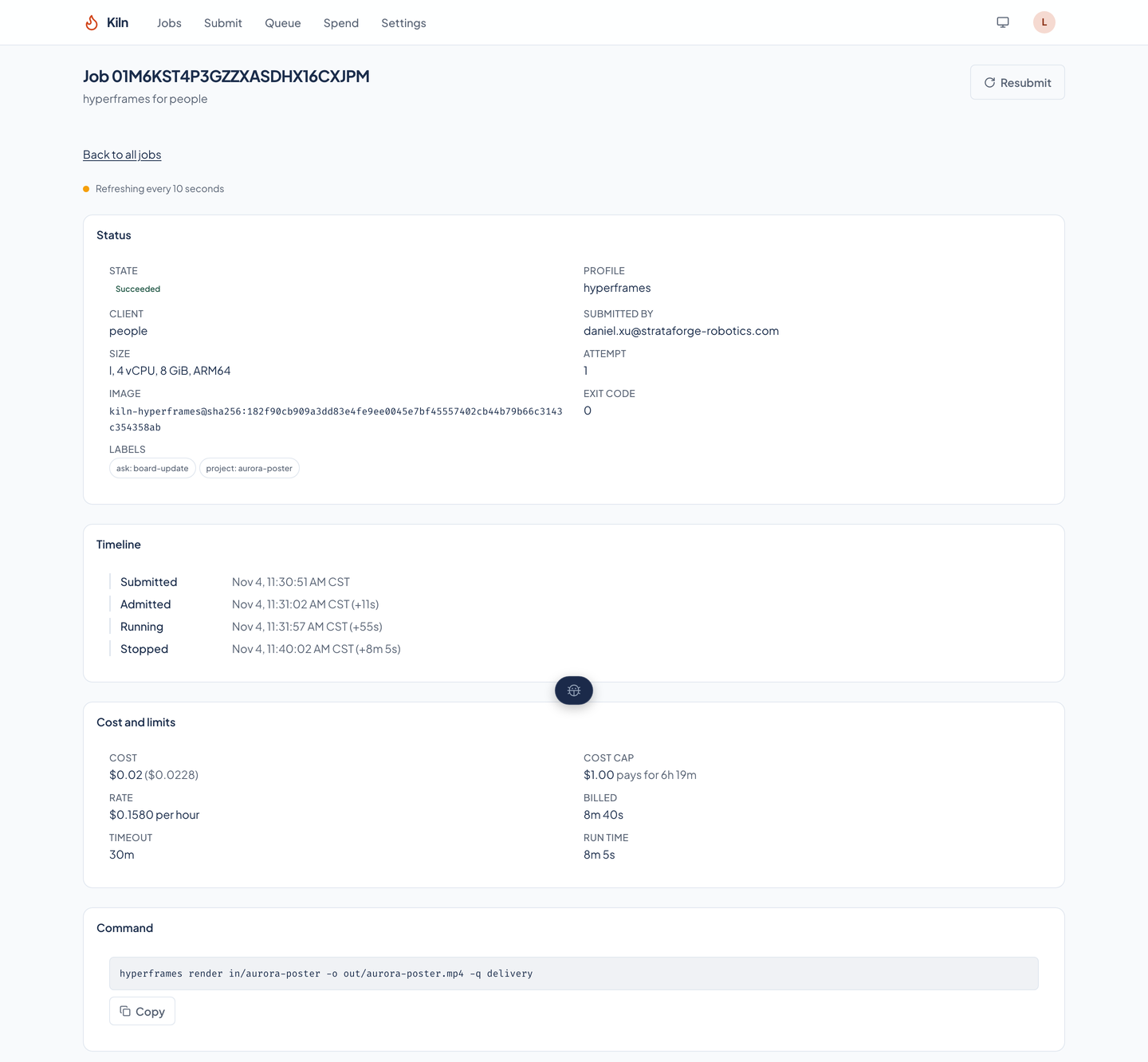
A job page for a finished film render: status, a timeline from submission to stop, cost and limits, and the command as one argument per line.A job page for a finished film render: status, a timeline from submission to stop, cost and limits, and the command as one argument per line.
A succeeded render: its timeline from submission to stop with the time each step took, its cost against its cap, the rate it was billed at, and the command it ran, copyable.

Outputs and previews

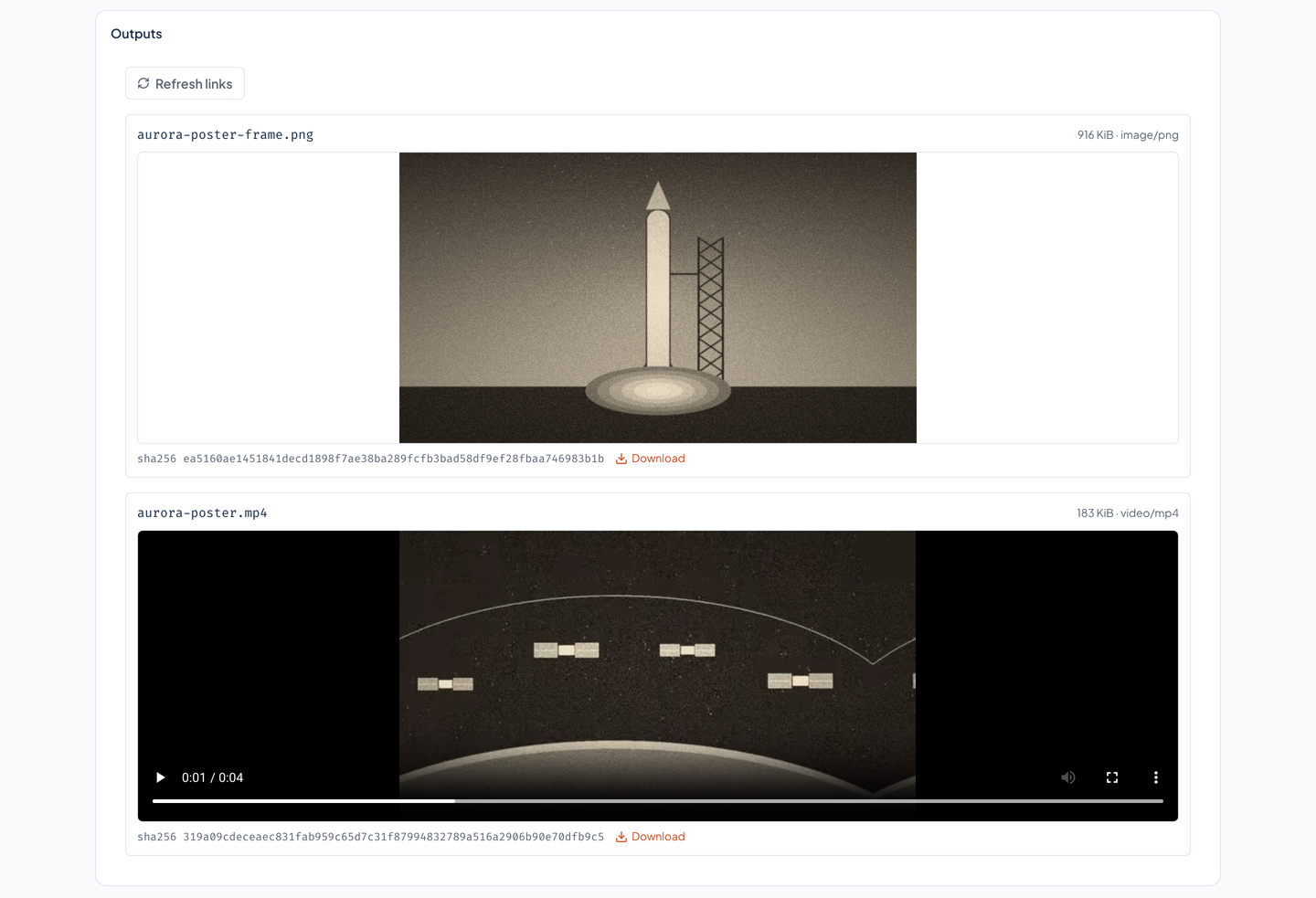
The outputs of a finished job: a drawn still of a rocket on a launch pad with its checksum, and a film player showing satellites over a planet, each with a download link.The outputs of a finished job: a drawn still of a rocket on a launch pad with its checksum, and a film player showing satellites over a planet, each with a download link.
Every file the command wrote, with its size, type, and SHA-256, a download link, and a preview of a picture or a film in the page. The picture and the film here were drawn for the capture.

A job in progress

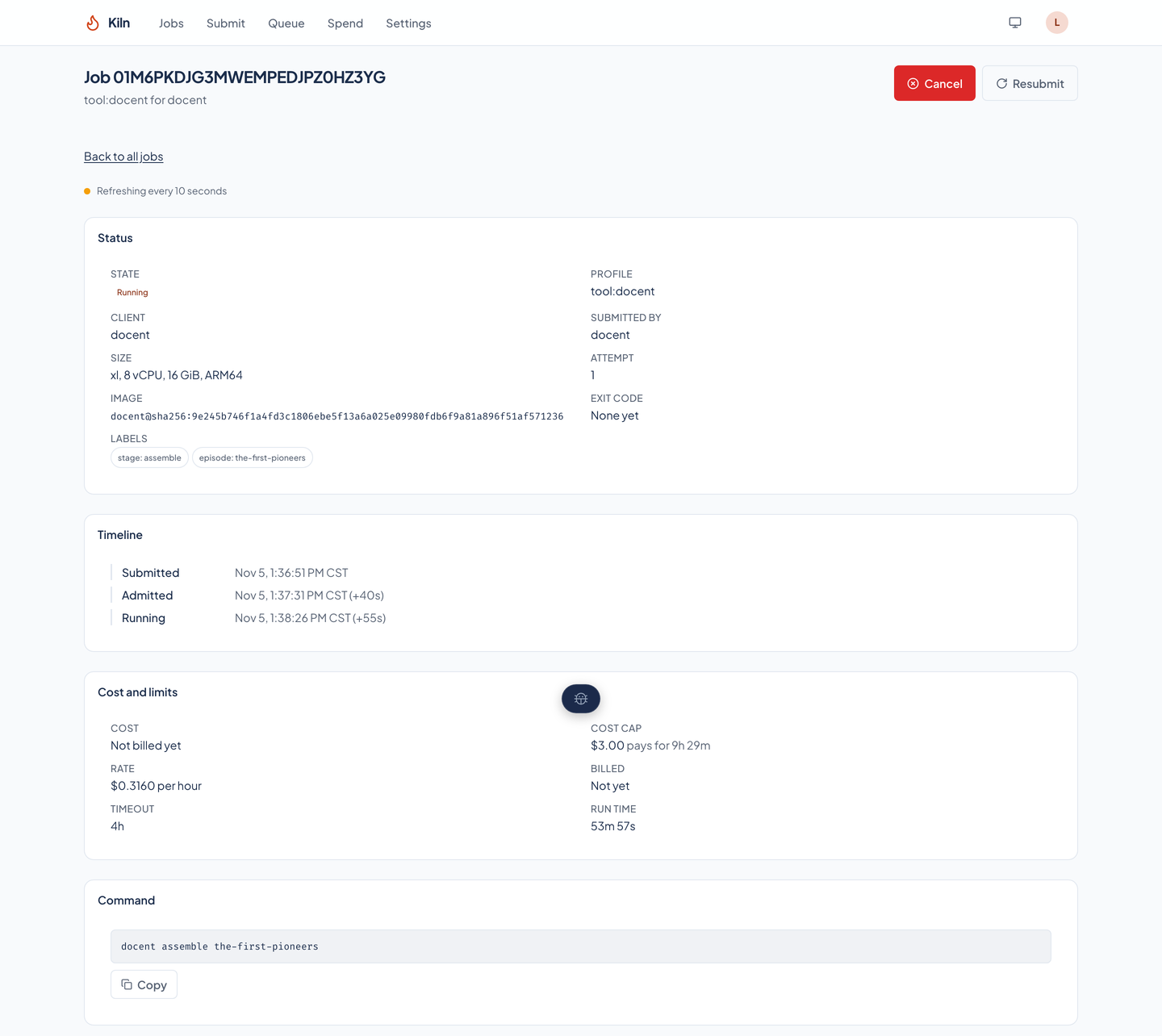
A job that is running: the status Running, a timeline that ends at Running, the cost not yet billed, the cost cap and what it pays for, and the timeout.A job that is running: the status Running, a timeline that ends at Running, the cost not yet billed, the cost cap and what it pays for, and the timeout.
A running job has a timeline that ends at Running, a cost that reads Not billed yet, and a Cancel button beside Resubmit.

The log, live

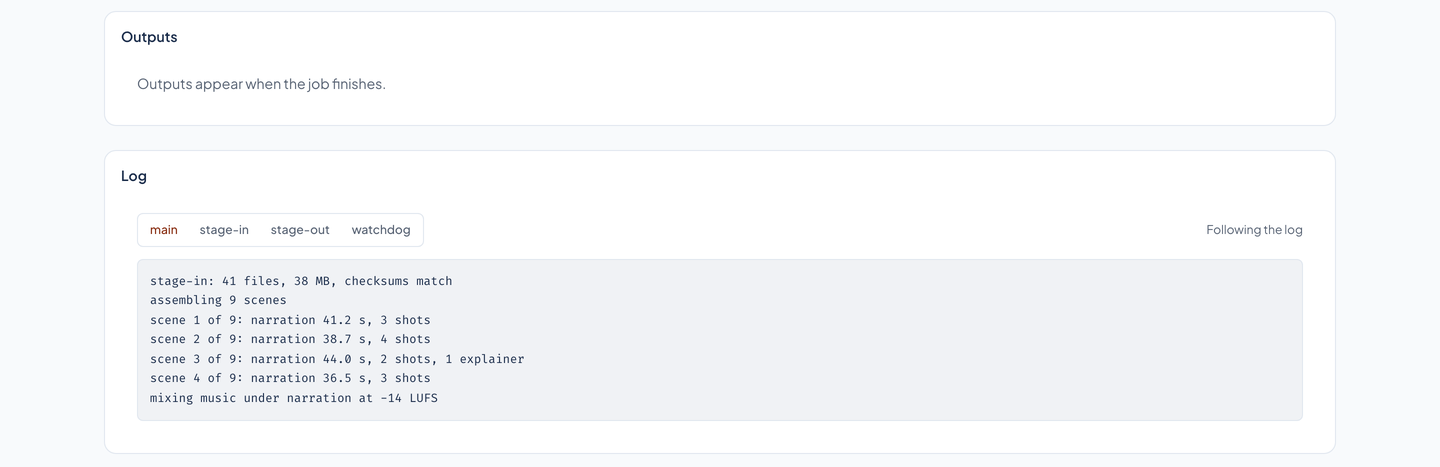
The log of a running job: an Outputs card that says outputs appear when the job finishes, and the log with its main, stage-in, stage-out, and watchdog tabs, the lines so far, and a Following the log note.The log of a running job: an Outputs card that says outputs appear when the job finishes, and the log with its main, stage-in, stage-out, and watchdog tabs, the lines so far, and a Following the log note.
The log of a running job follows along. A finished job keeps its log, and the page keeps one tab for each container that wrote one: main, stage-in, stage-out, and watchdog.

A job that failed

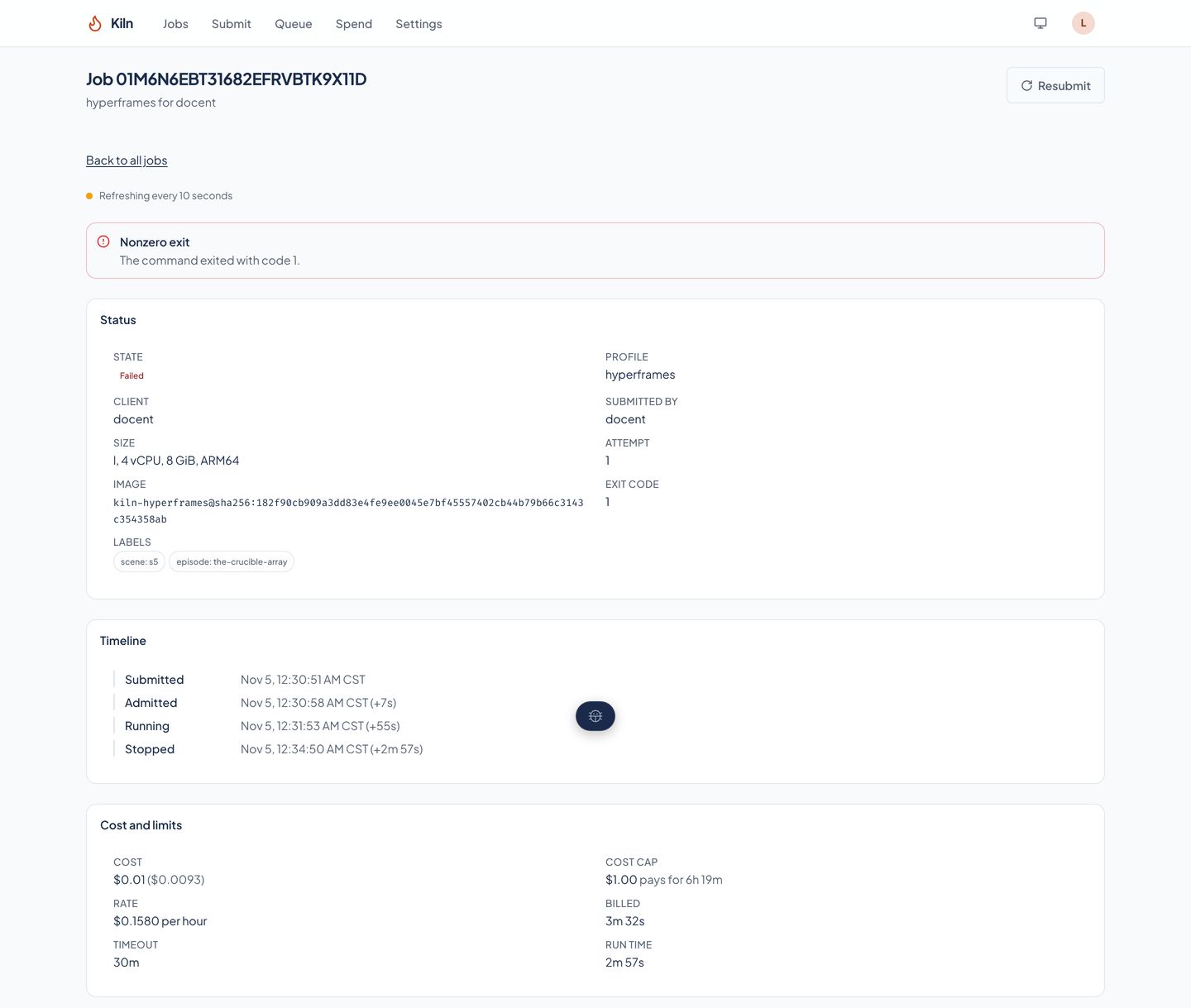
A failed job: a red alert saying the job failed and why, the status, a timeline that ends in a stop, the cost, and the command.A failed job: a red alert saying the job failed and why, the status, a timeline that ends in a stop, the cost, and the command.
A render that stopped, with the reason in plain words and the class of failure at the top, the exit code in the status, and the cost computed for the time it was billed.

The queue

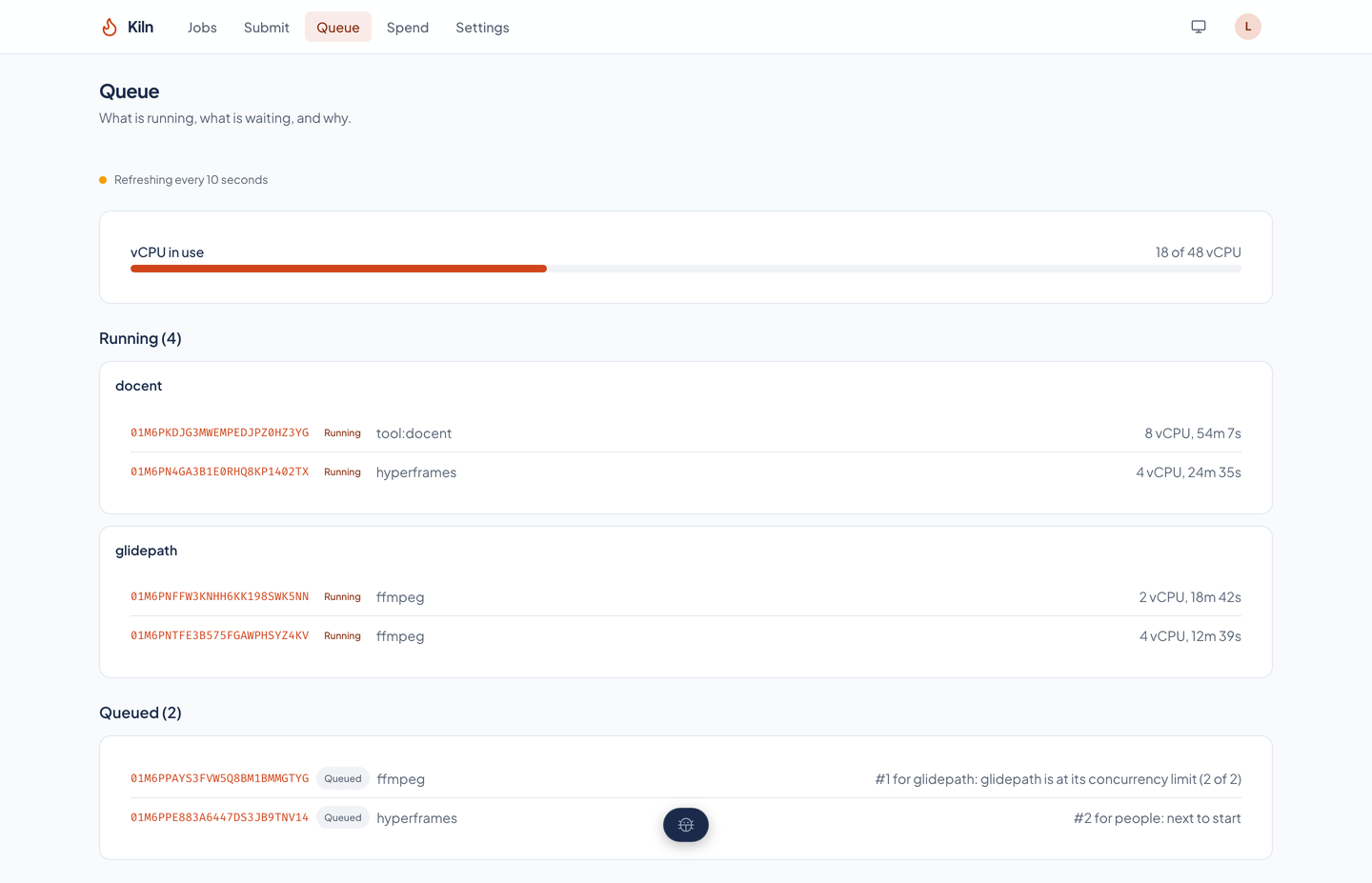
The queue: a meter showing 18 of 48 vCPU in use, running jobs grouped by client, and two queued jobs, each with its place in line and the reason it waits.The queue: a meter showing 18 of 48 vCPU in use, running jobs grouped by client, and two queued jobs, each with its place in line and the reason it waits.
What is running, grouped by client, with the vCPU in use against the fleet's budget, and what is waiting, in order, with the reason each job waits. The reason on the page is the one the admission rule uses, not a separate guess.

Spend

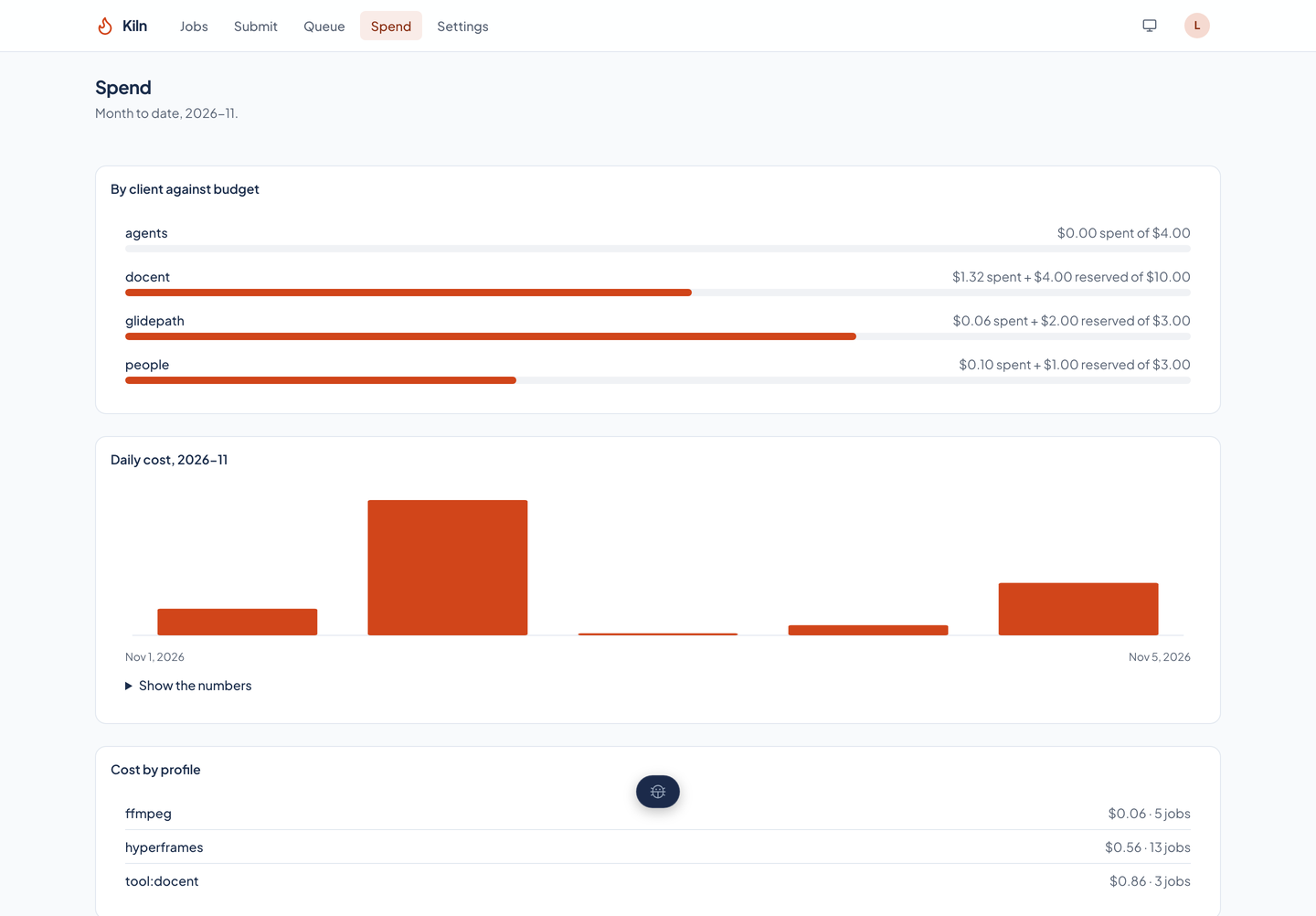
The spend page: a meter for each client showing what it has spent and reserved against its monthly budget, a daily cost chart, and cost by profile.The spend page: a meter for each client showing what it has spent and reserved against its monthly budget, a daily cost chart, and cost by profile.
Month to date by client against its budget, with what running and queued jobs have reserved on top of what is spent; the daily cost for the month; and cost by profile.

Submit a job

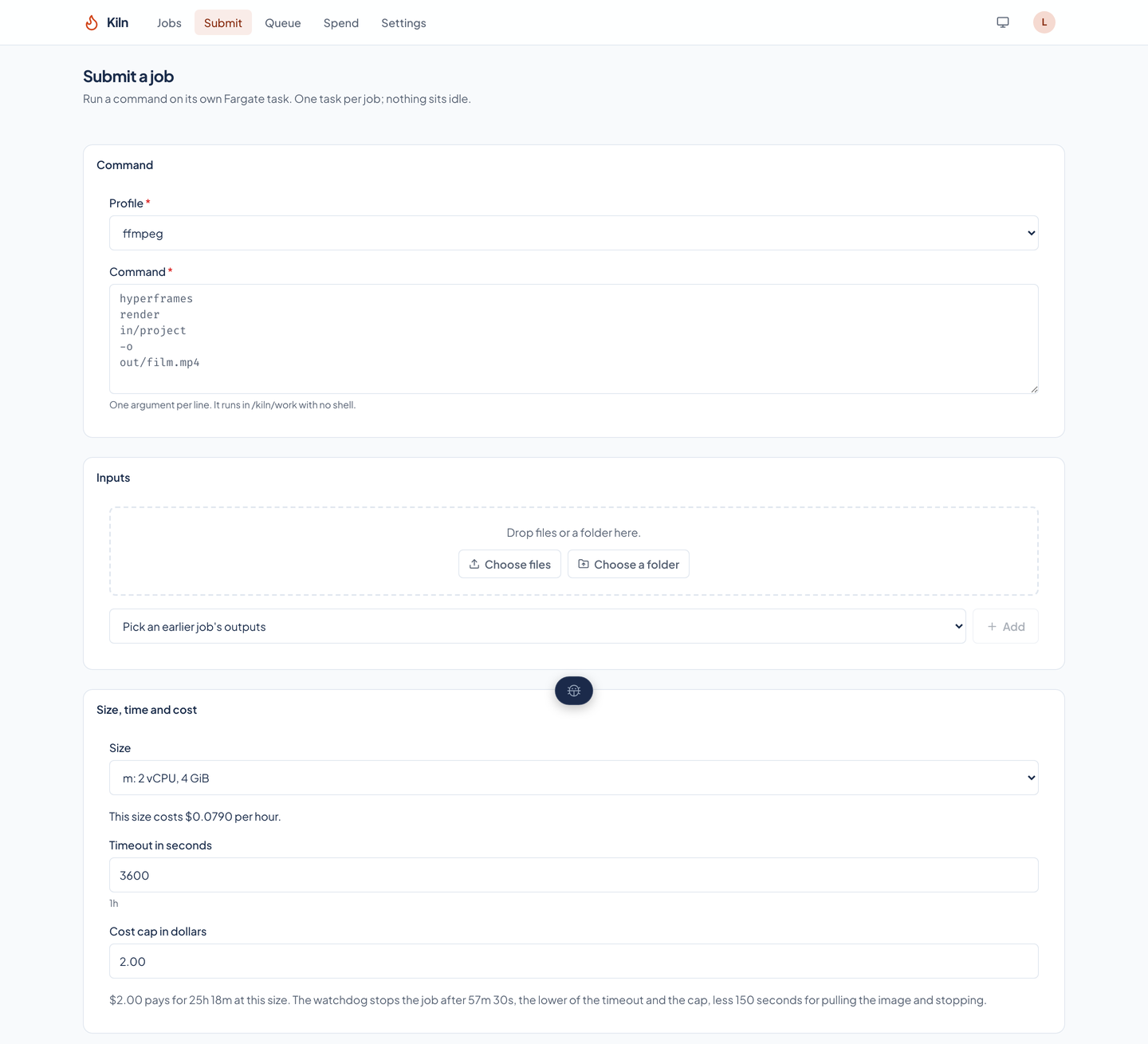
The submit form: profile, command with one argument per line, inputs with a file drop and a picker for an earlier job's outputs, and the size with its hourly cost.The submit form: profile, command with one argument per line, inputs with a file drop and a picker for an earlier job's outputs, and the size with its hourly cost.
A profile, a command with one argument per line, inputs dropped in or picked from an earlier job's outputs, a size with its hourly cost, a timeout, and a cost cap with the run time it pays for. Labels and environment variables (secrets are refused) follow.

Client settings

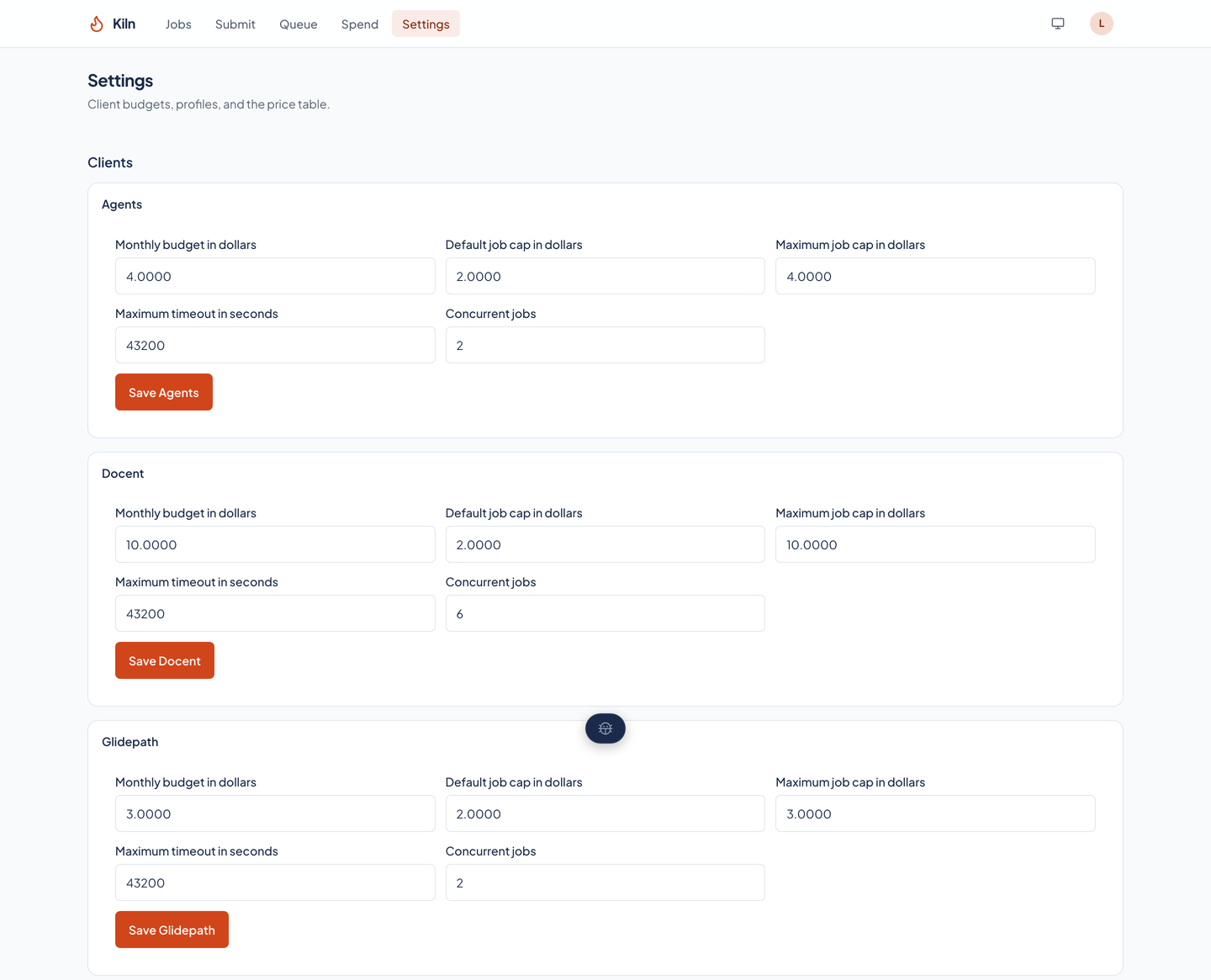
The settings page: a card for each client with its monthly budget, default and maximum job cap, longest timeout, and concurrent jobs.The settings page: a card for each client with its monthly budget, default and maximum job cap, longest timeout, and concurrent jobs.
Each client's monthly budget, default and maximum job cap, longest timeout, and concurrency, each saved by a person. Profiles follow below, each with its default and largest size and timeout.

The price table

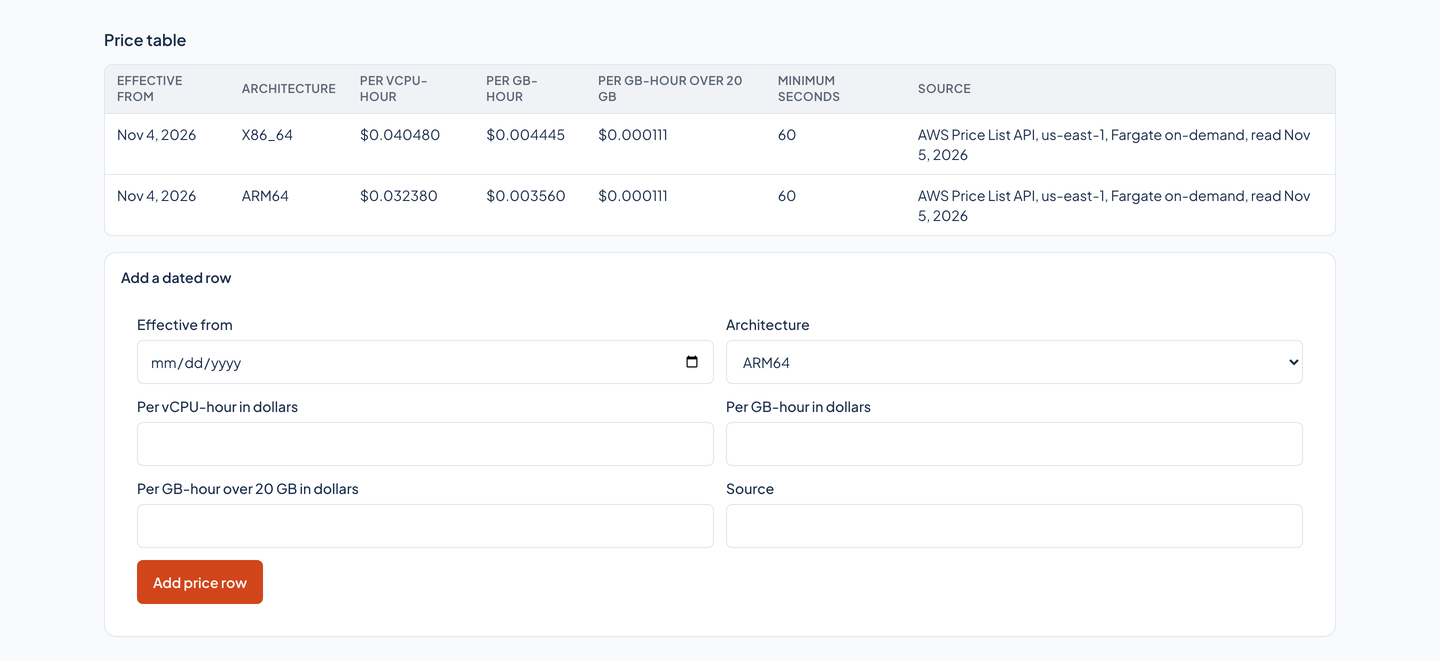
The price table: an effective date, architecture, the rate per vCPU-hour, per GB-hour, and per GB-hour of storage over 20 GB, the minimum seconds, and the source, with a form below to add a dated row.The price table: an effective date, architecture, the rate per vCPU-hour, per GB-hour, and per GB-hour of storage over 20 GB, the minimum seconds, and the source, with a form below to add a dated row.
The rates every cost is computed from, with the day each took effect and where it was read. A new price is a new dated row, and an old job keeps the price it was billed at.